
Should I Move To The Cloud?
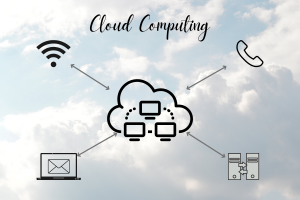
Cloud computing is common in today’s world and becomes even more common as time goes on. Essentially, cloud computing is the use of internet-based services. This can mean that rather than keeping files backed up on a hard drive, they are backed up through internet services. Another example is Voice over IP (VoIP), or the use of telephone calls over internet connections. Even if you are not using either of these examples, you probably use cloud computing at some point. Perhaps you have questions about moving more things to the cloud. On the other hand, you may be skeptical about the cloud in general. Here is a list of pros and cons to give you a little bit more information about cloud computing.
Pros Of Cloud Computing
Easy to Access.
Moving information to the cloud is synonymous with moving information to the internet. This means that when the information is in the cloud, it is accessible from anywhere in the world, which means that team members at home – or your team members that work in different areas of the world – can all access the information that they need.
Centralized Data.
After moving information to the cloud, it all resides in one spot. Not only does this make things easier to find, but it also allows for better collaboration. Cloud-based collaboration will improve team members' ability to accomplish tasks more quickly and more accurately. This will also improve organization and communication among team members, as team members can all work together on the same document simultaneously.
Productivity.
According to TrackVia, companies have been able to increase their productivity by up to 40% after switching to the cloud. Furthermore, moving to cloud computing will make it easier to outsource IT to a separate company. That means you’ll have at least one less thing to worry about, making you more productive as well. Finally, you can implement workload monitoring to use only the resources that you need which will save money and save time, thus increasing productivity.
Backups.
Backups in the cloud can be automatically scheduled so that you don’t have to waste time doing them manually or stress out about potentially forgetting to do them. Company uptime is also increased due to the fact that, in the instance of a system failure, backups are automatically deployed. Lastly, moving to the cloud significantly increases data storage space, allowing more and larger backups to be stored.
Cost Efficiency.
This could be a pro or con, depending on your timeline, thus it is listed last. With cloud computing, there is a smaller monthly fee, rather than an upfront larger fee for hardware or stand-alone software. There is also no need to spend money on licensing, and the cost of management, data storage, and system updates go away. Whether this becomes a pro or con depends on how often you are replacing equipment. If you typically replace a server every 3 years, cloud computing will be much cheaper. If you replace a server every 5 years (recommended), you will be around the break-even point. However, if your business only replaces servers every 10 years (not recommended), you might pay more for cloud computing.
As with all things, there are some potential cons to cloud computing. Some of those cons are misconceptions though. Below is a list of a few cons that people think about when they think of cloud computing.
Cons Of Cloud Computing
Internet Requirement.
If you have a slow or poor internet connection, you’re probably already frustrated by it and may look into getting better internet. Although, if that’s not likely to happen anytime soon, adding cloud computing to that mix is not in your best interest, as accessing any information will be slow and timely. Cloud computing is entirely dependent on a stable, high-speed internet connection. This also means that if the internet goes out, operations stop. To combat this situation, some companies choose to get back up or fail over internet. This ensures that a pause in operations never happens.
Security Concerns.
Some people are concerned about cloud computing in fear of “outsiders” getting in. While this is not something that is impossible, it can happen with any other format of operations as well. Problems that occur might come from accessing the cloud from insecure networks, such as a hotel, Starbucks, etc., or using weak credentials and passwords for cloud accounts. Most of the time, security problems are caused by users who haven’t been properly educated about cybersecurity. Follow best practices when using cloud computing. Use multi-factor authentication, encrypt data, and use a virtual private cloud when possible.
DEBUNKED - Vendor Lock-In.
Occasionally, companies avoid moving to the cloud out of fear of vendor lock-in. Similarly, they fear they will have a difficult time if they want to switch platforms. Avoid these issues through these tips. Highly evaluate any potential cloud service provider before signing on with them. Keep data portable - clearly define data models and keep data in formats that are usable across a variety of platforms, rather than formats that are vendor-specific. Finally, use multi-cloud strategies to reduce the dependence of any single vendor.
Cloud computer is not a new concept, but it is something that is ever-changing, and that people often have questions and concerns about. As time goes on, data continues to move to the cloud. It is important to understand the pros and cons of cloud computing before making a decision that is best for you. Be sure to thoroughly research any vendor you are considering before signing on. Lastly, know this: cloud computing is not an all-or-nothing situation. For example, it is perfectly fine to move phones over to cloud computing while keeping a physical server on-site. Sign up for one or two services first to determine if cloud computing is right for you. You can always add more services later.

